Playbook
Playbook is a visual asset storage and collaboration platform for creatives managing large visual libraries. I was fortunate to join the team as a founding product owner and designer, guiding Playbook through several key launches and our first few monetization growth initiatives.
Over these two years, I explored how AI could empower creative workflows E2E, from asset search to AI organization and editing. I learned so much! Highlight lessons: to ruthlessly prioritize based on user feedback and product metrics, to figure things out and pave a path where there was no clear direction, and to pay very close attention to the details.
Board rules
Bringing structure to large creative teams
Background
Playbook was actively expanding into the team and enterprise market. Larger organizations managing thousands of files across multiple collaborators needed more structure, including custom tagging systems, metadata standards, and a way to enforce consistency across every upload. To be taken seriously as an enterprise-ready solution, we needed to invest in metadata governance features.
The problem
Previously, any collaborator could upload an asset with very little enforcement on tags or required metadata. Admins had no way to maintain standards across a workspace directly in Playbook. Some users were maintaining separate “Instruction Manuals” they shared with their teams on how to upload. A customer put it plainly during a user call:
“When we upload, can we ensure that our members are tagging before the images are considered completely uploaded?”
What I shipped
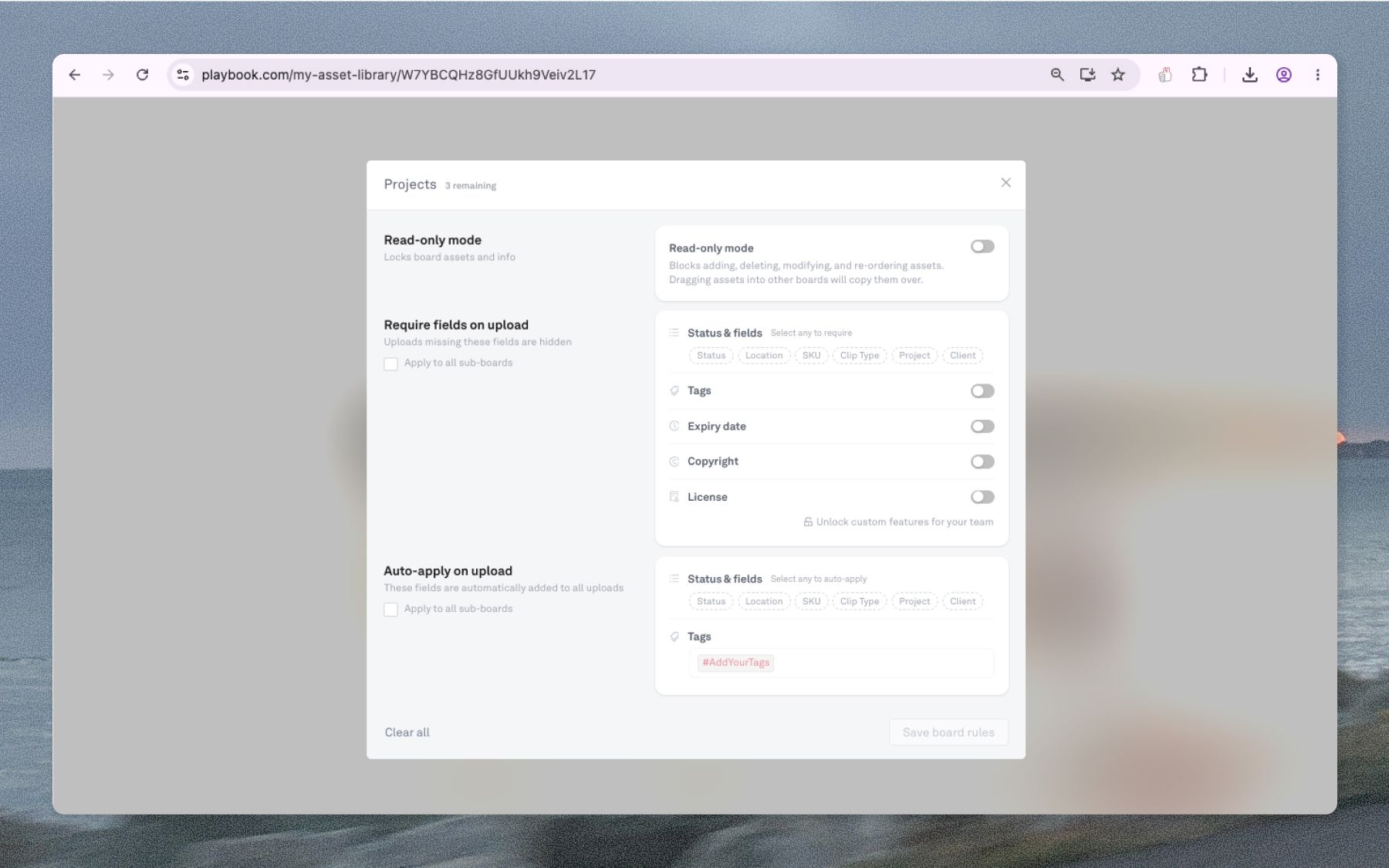
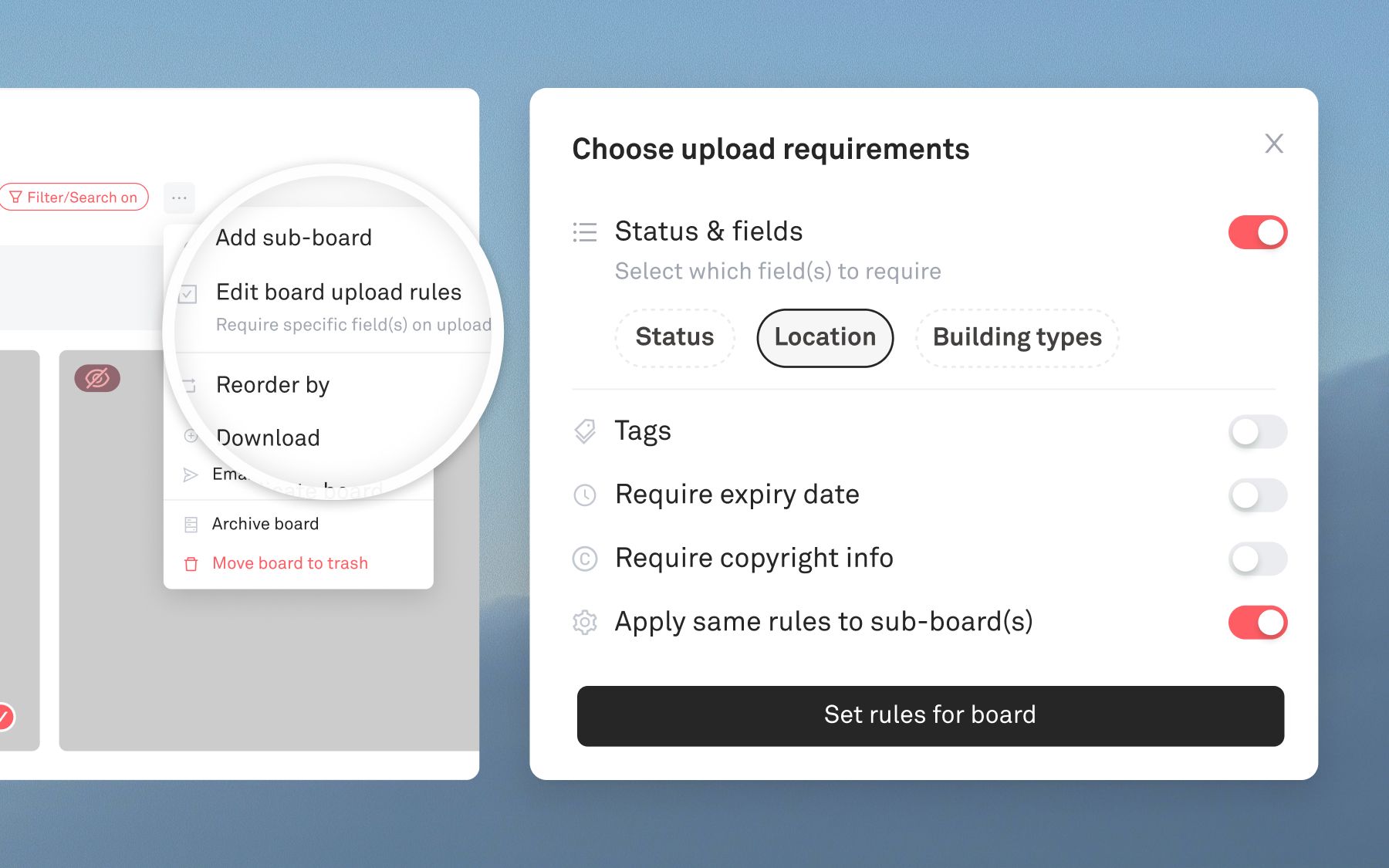
V1 — Upload validations: Admins can set required metadata fields at the board level including tags, custom fields, license, copyright, or expiration date. Assets that skip the prompt upload successfully but are marked “incomplete” and enter a draft state, hidden from the main collection view until resolved.
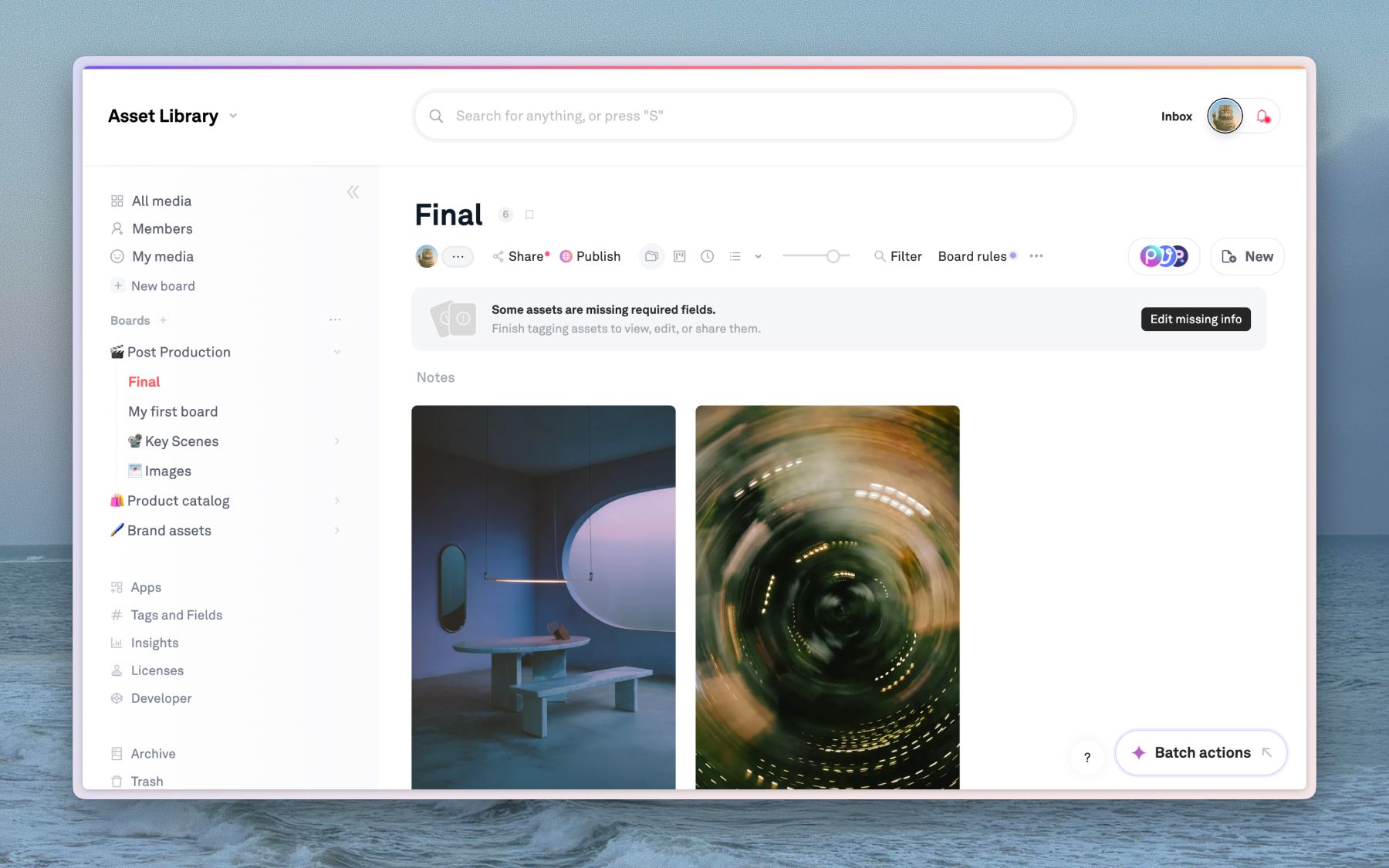
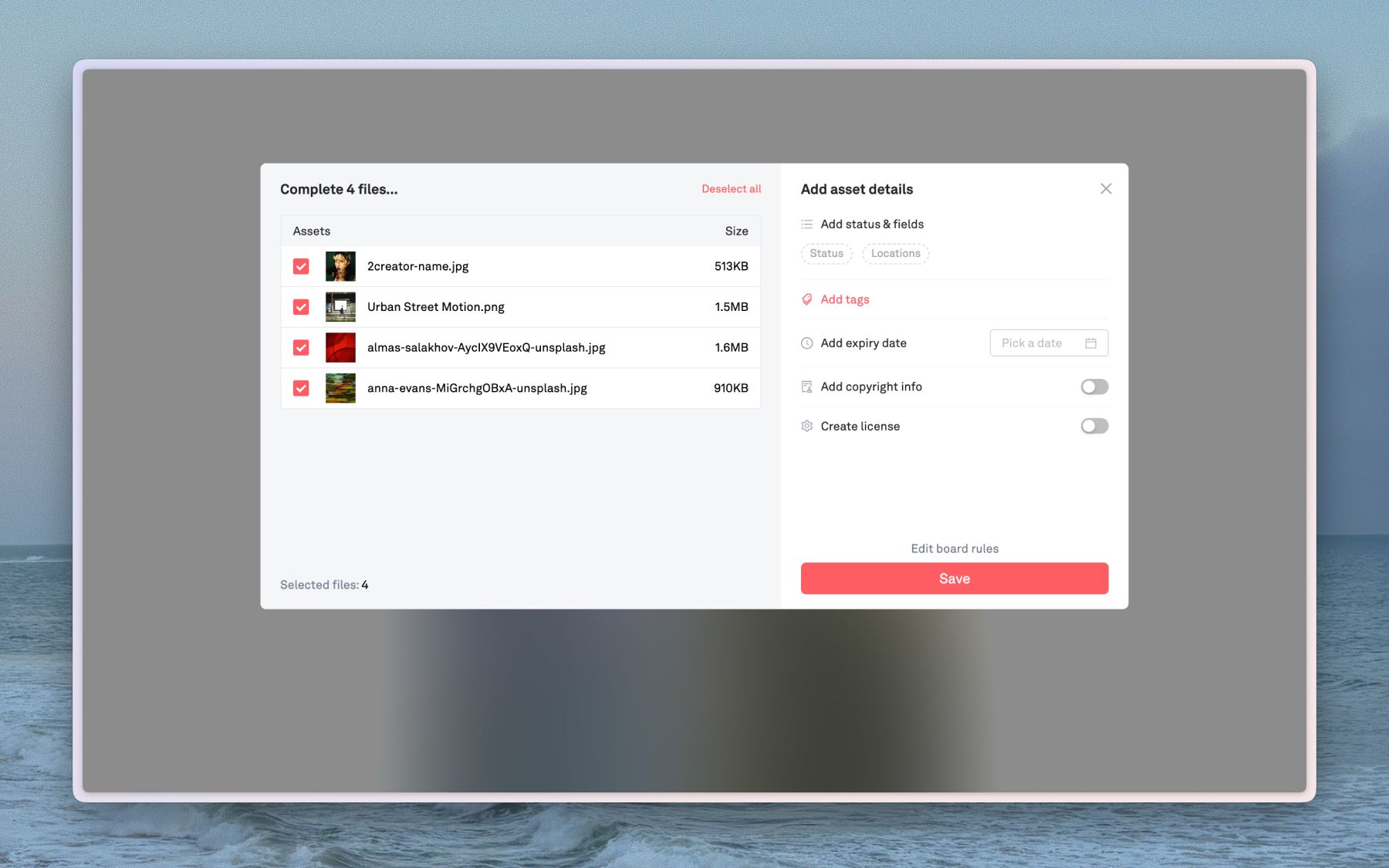
V2 — Auto-apply fields and tags: Reduced manual tagging burden by letting admins configure rules that automatically apply specified tags or field values to every upload on a board.
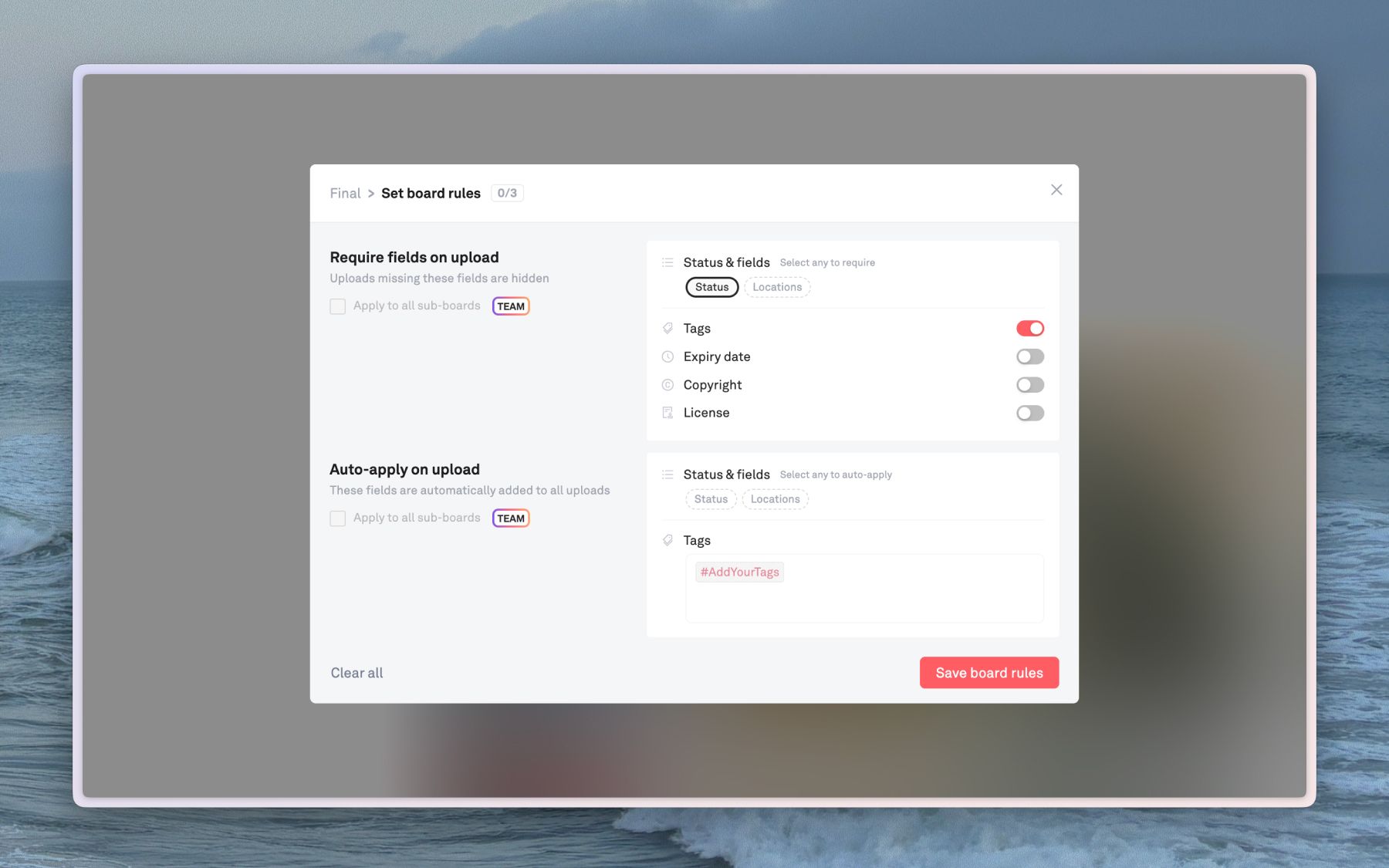
V3 — Lock boards (read-only): Added the ability to lock a board entirely, making it read-only for archived projects or finalized asset libraries.
Outcome
Learnings
Customer-sourced features ship faster and stick better.
Because this came directly from named customers with specific use cases, I had a reference point for every design decision. That feedback loop cut down on speculation and second-guessing.
Lightweight enforcement > hard gates.
For a product used by creatives under time pressure, flexibility is often more important. Draft states and gentle prompts can change behavior without creating too much friction.
Miniapp integrations
Building an embedded creative tool ecosystem
Background
My first project when I joined Playbook was to push forward a new initiative and business division: “The Ecosystem Pod” alongside Max, my co-lead and backend engineer. At the time, Playbook was starting to grow beyond core storage and file management and into a full fledged creative operating system. The Ecosystem project was a bet on embedding third-party creative tools into Playbook as a way to reach new users and open up new vectors for growth, revenue, and differentiation. By enabling users to do quick, last-mile creative work—remove a background, convert a file, add watermarks—without ever leaving their asset library, we'd solve a real workflow pain point while creating new monetization streams on top of our core DAM subscription.
What I shipped
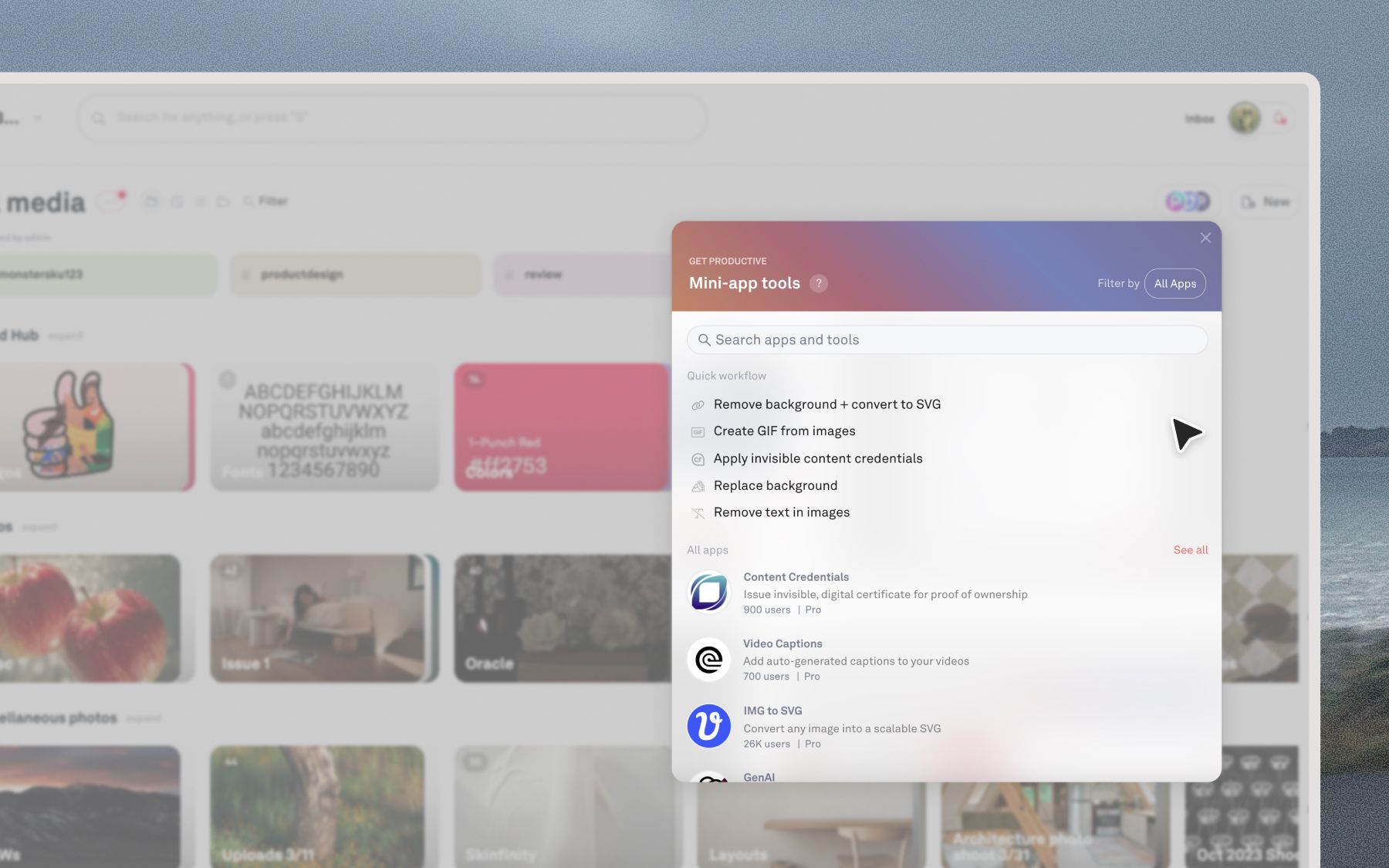
Over 8 months, we shipped 10 embedded miniapps including tools for background replacement, vectorization, file type conversion, and more. Early on, we prioritized speed, aiming to get our first ~5 mini-apps out quickly to beta testers. One of the first miniapps we shipped was a vectorizer tool, which allowed users to easily convert their images to vectors.
I redesigned the main entry point: the original Miniapp Shop was a separate popup modal, which felt disconnected from the actual workflow.
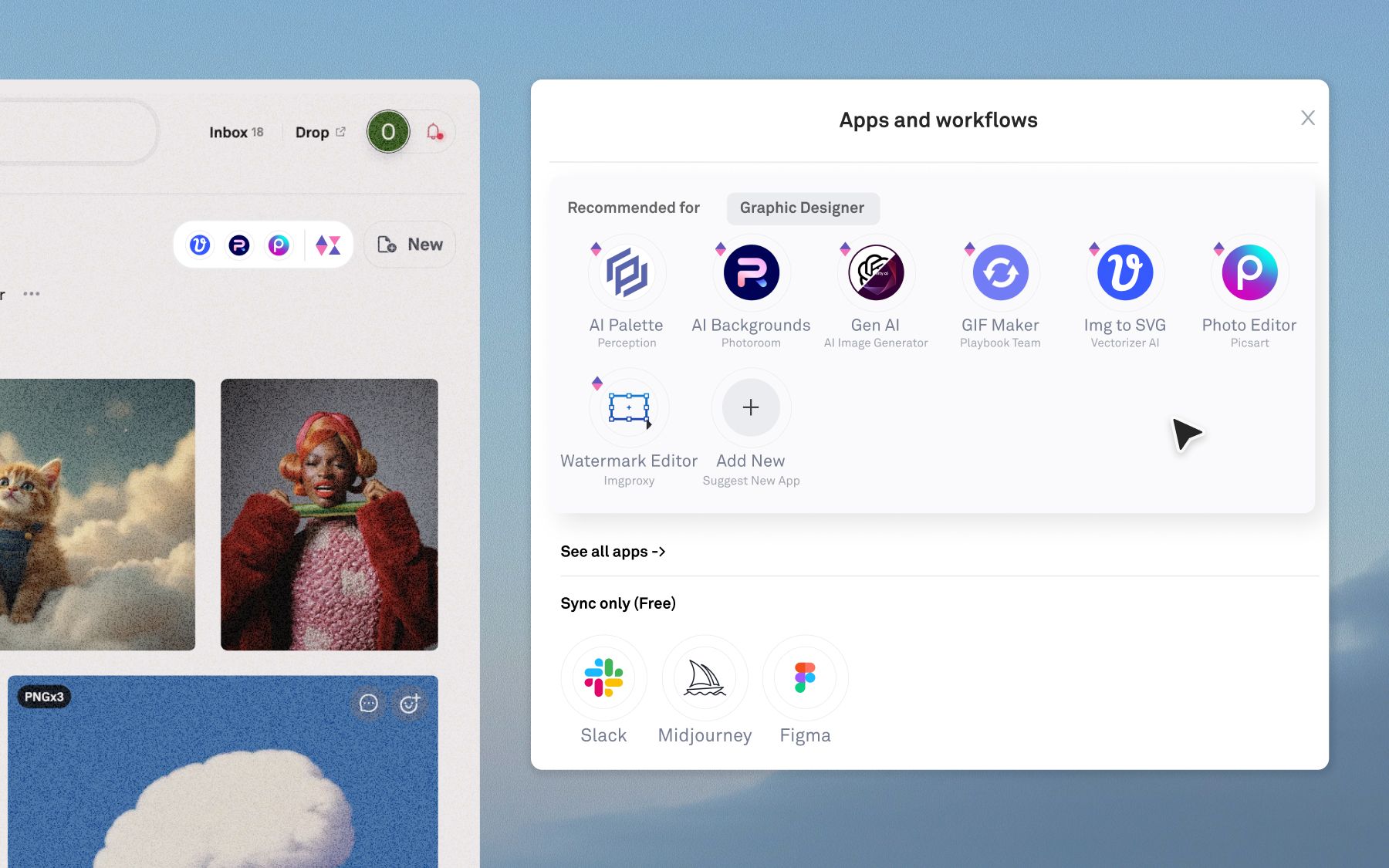
I moved it into a dropdown embedded directly in the asset view toolbar, so users could trigger tools right where they were already working. It was a small change that made a big difference in how native the experience felt.
Early signs were encouraging; completion rates were high, adoption was growing, and we had a steady flow of new users visiting from marketing pages for each integration.
Sunsetting miniapp shop & the pivot
As we released more apps and collected more data, a clearer picture emerged. High mini-app traffic did not mean we reached our target audience. One launch drove 30K visits with fewer than 1% converting to a paid Playbook user. We were capturing curious one-time visitors, not users with a real need for our core storage product.
The process was also becoming less scalable. Each integration required auditing a partner's API, designing an embedded experience, implementing it, and launching it independently. Regardless of how we priced each mini-app, paid conversions stayed low. Users already paying for Playbook didn't expect or want to pay again for individual tools on top of their subscription.
The MRR contribution gap widened as our core subscription monetization grew.
Eventually we made the call to bundle all 10 tools into existing Playbook Pro and Team subscriptions as included value. It wasn't the growth flywheel we'd envisioned, but the embedded ecosystem brought basic editing functionalities into Playbook for the first time and became a reason to upgrade.
Today
Today, miniapp tools and integrations are still a part of Playbook, but with the rise of AI-powered editing and workflows, we've seen a shift in the way users prefer to work. Many of the previous miniapp actions have been integrated into our embedded AI chatbot for a more seamless and efficient editing experience. While users can still access the partner tools vs asset toolbar, they now can also prompt for changes or build their own editing automations.
To learn more about the evolution of editing tools and integrated workflows in Playbook check out the Playbook Intelligence launch.
Learnings
Simplicity signals value
Too many pricing options overwhelm users and erode perceived value. When everything has a price tag, nothing feels worth paying for.
Existing users are always your champions.
We spent too much energy acquiring new users via marketing rather than designing for the people already in the product. Existing users have context, trust, and a reason to come back.
Libraries
Scoped access for growing creative organizations
Background
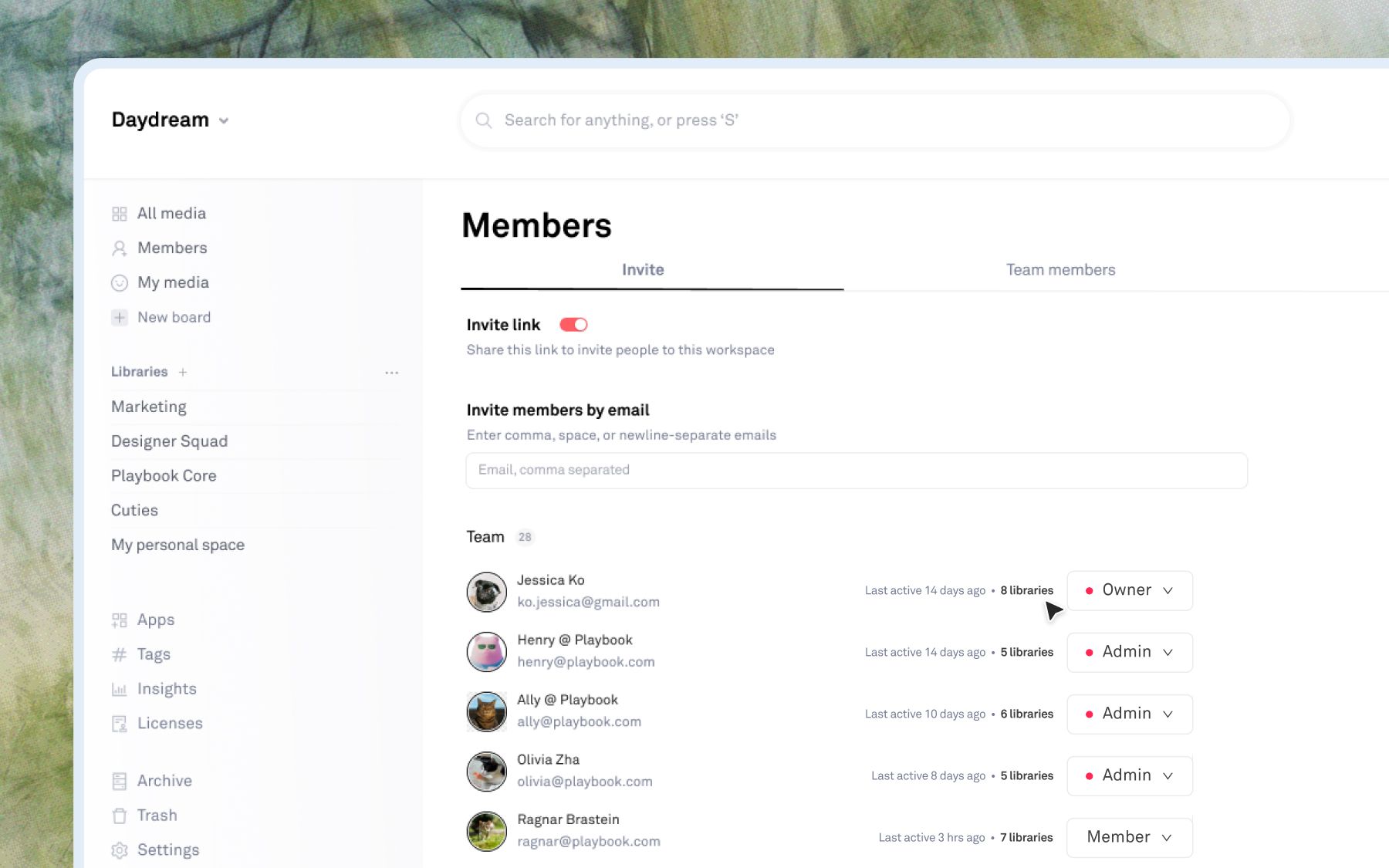
All content in a Playbook workspace lives in one flat space, with access controlled through global roles and per-board guests. For small teams, this works well, but large organizations managing multiple departments, projects, and confidentiality boundaries were often looking for something a little more structured. As Playbook expanded into the enterprise market, expanding our permissions model and workspace infrastructure to allow for employee and team-level spaces felt more and more necessary.
Libraries was a concept to introduce scoped sub-workspaces within a single company account, letting teams organize content into personal, team-level, and company-wide spaces while keeping administration centralized.
The problem
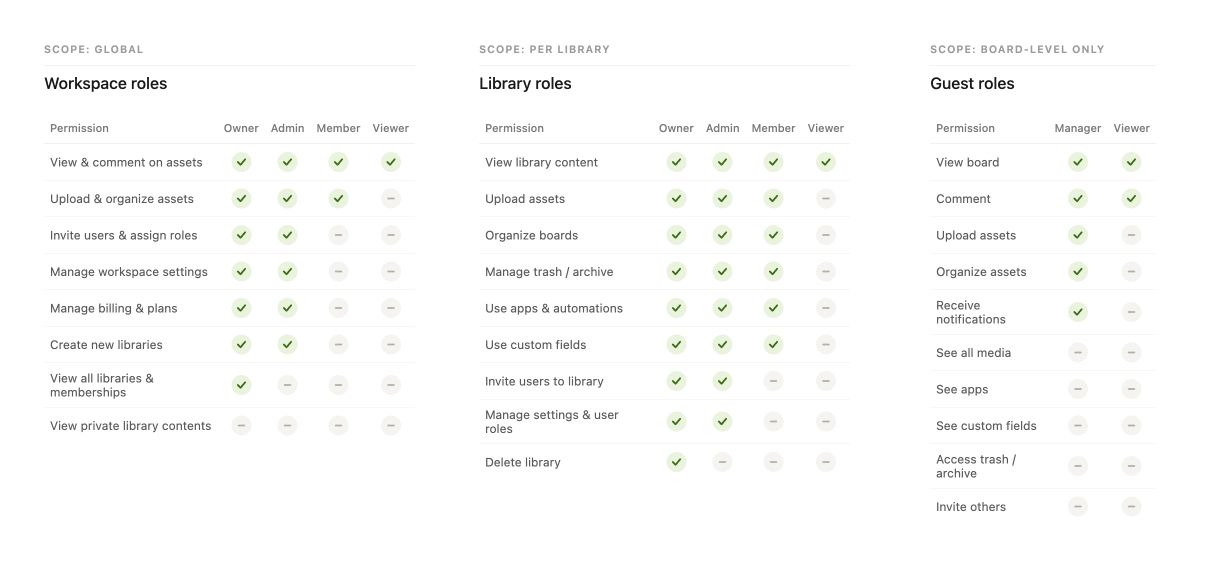
The existing permission model forced a frustrating binary: members could access everything, or guests added to individual boards at a time could access very little. Guests couldn't receive notifications, access custom fields, see apps, or manage archived content. The workaround some teams landed on was spinning up entirely separate Playbook workspaces per team, which fragmented their organizations and made cross-team visibility impossible.
One of our first enterprise customers surfaced this directly while managing multiple teams within a single account without clean access boundaries. Their ask was clear: scope content and permissions at the team level, not just the board level.
“Definitely understand there are workarounds like my multi-guest solution or wiring up more slack/email updates, but would love to enjoy the main benefits and features of Playbook members that already exist. Any way we could solve this by allocating our storage into different Playbook teams instead (i.e. 100TB divided across 4 Playbooks)?” — Enterprise customer
Process
Each user could belong to one or more libraries, and each library would carry its own boards, assets, members, and role assignments. Key design decisions:
- Roles scoped per library — a user could be an Admin in one library and a Member in another, rather than carrying a single global role
- Draft state over hard gates — incomplete libraries or pending memberships wouldn't block access, they'd surface clearly for resolution
- Custom fields stay global, display is library-scoped — fields are created workspace-wide, but library admins can configure which fields appear within their space
- Search scoped to accessible libraries — users only see results from libraries they belong to, keeping search clean and relevant
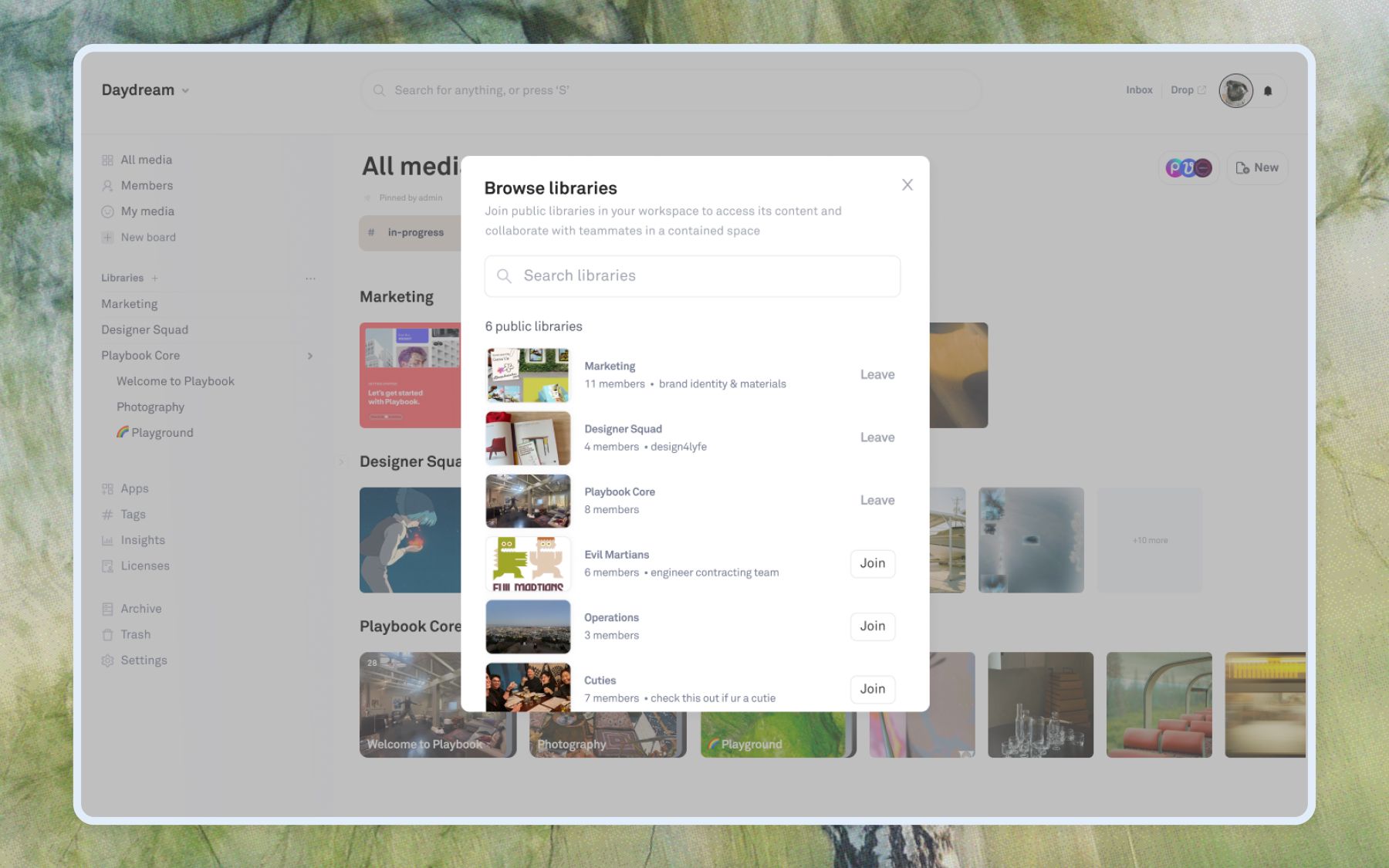
To create a library, an admin or owner could define a name, description, and a set of members with access.
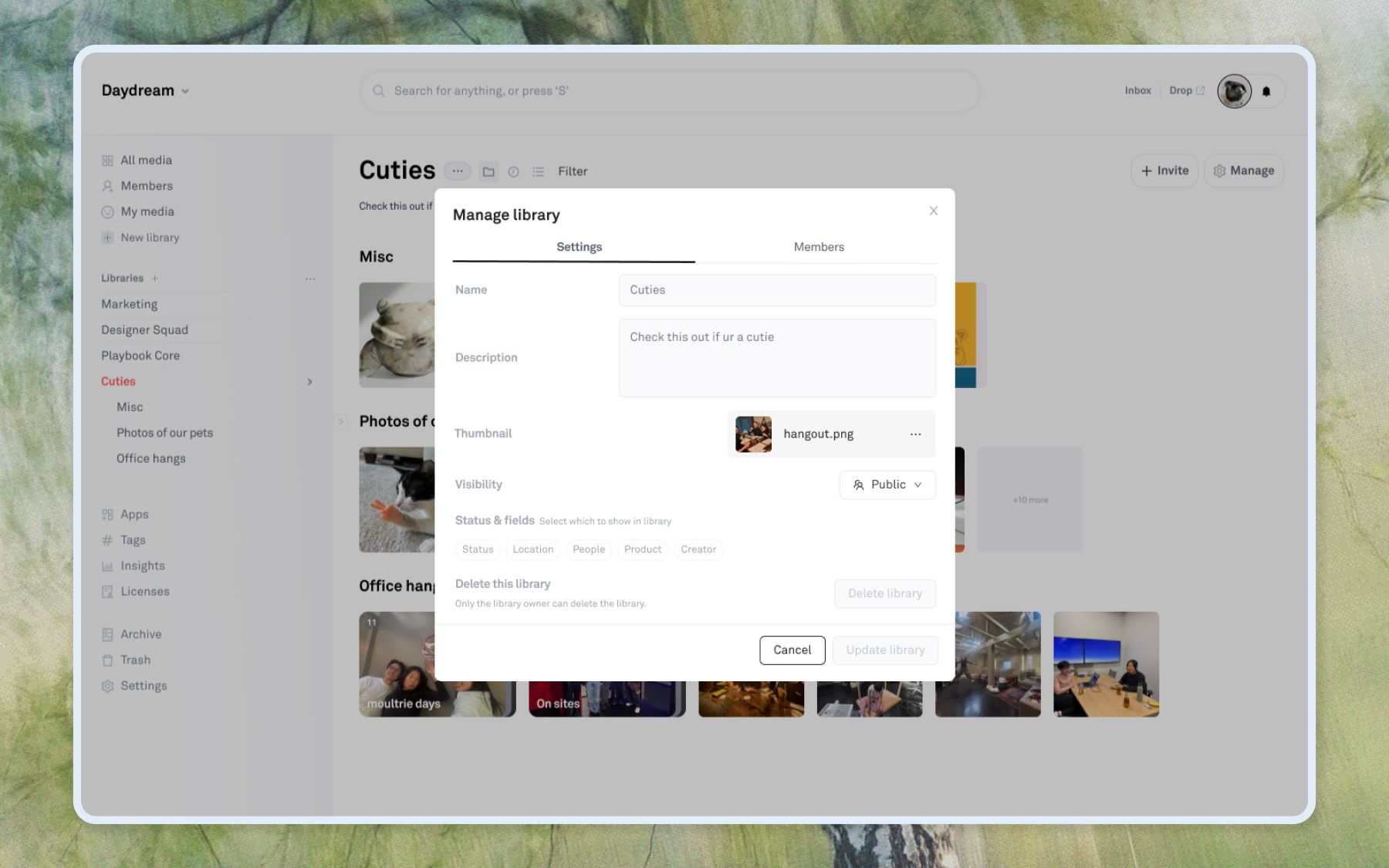
For rollout, I scoped V1 to private libraries with invite-only access and limited creation to Admins and Owners.
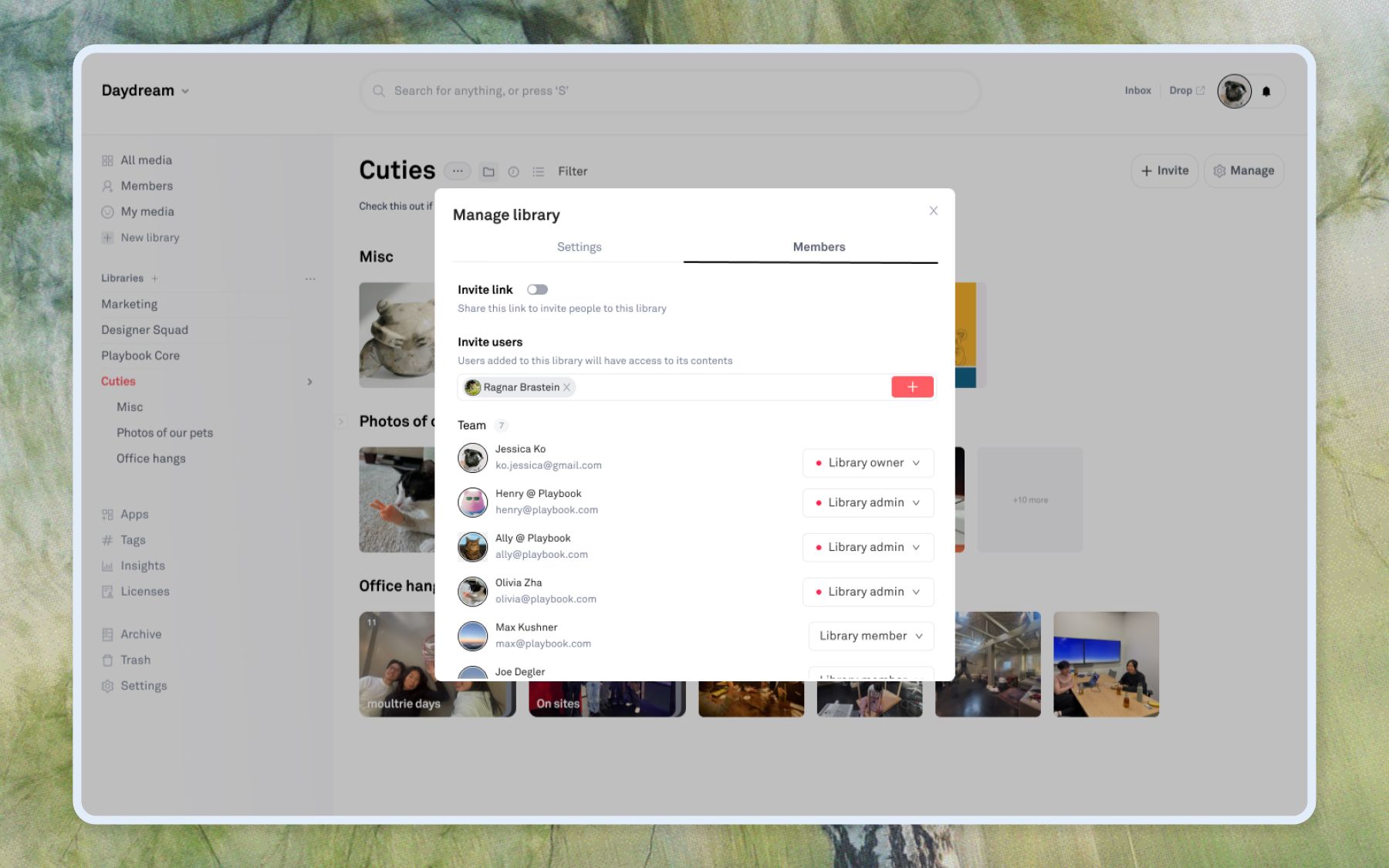
But I also explored the future state of libraries, including private and public distinctions.
Today
Despite internal alignment on the concept and a clear enterprise use case, we ultimately deferred implementation due to other roadmap priorities at the time.
Learnings
Engineer buy-in early is crucial for good design.
Looping in the engineer before locking in a direction was crucial in determining which solution I pursued. The insight that Libraries could simplify the entire permissions architecture wasn't something I could have gotten from user research alone.
Designing for scale requires thinking in systems.
The hardest part of this project was designing a permission model that would hold up across dozens of different org structures, team sizes, and use cases. Getting that architecture right mattered more than any individual interaction.
Sidebar search
Redesigning search to be accessible at any scroll depth
Background
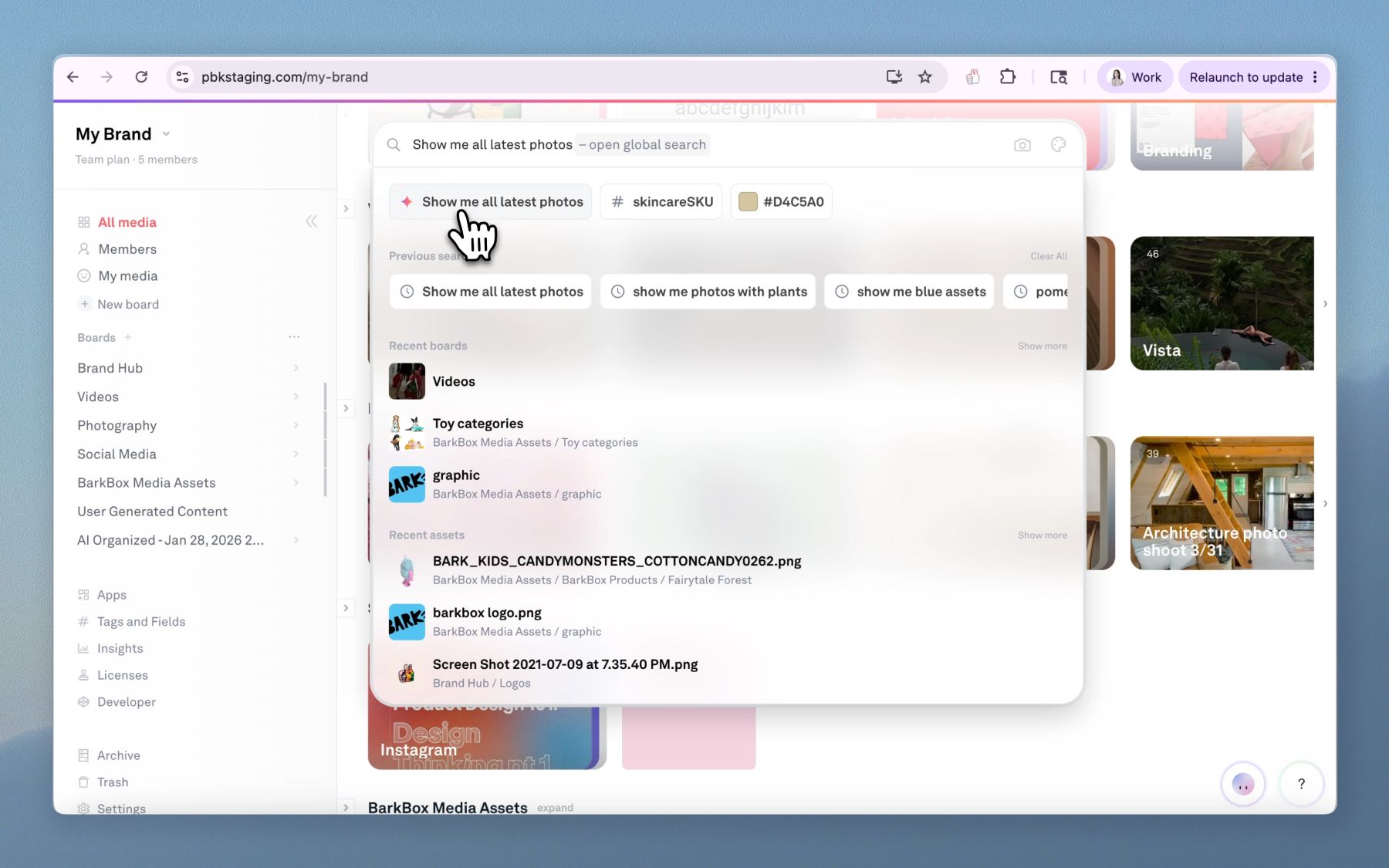
Search is one of Playbook's biggest value props. One of the biggest creative challenges our users face is finding assets, repurposing them, and getting maximum value from their creative work. We solve this by automatically enriching image and video metadata with AI tags, so the entire library of assets is searchable by title, description, visual content, color, transcription, and more. Users can search semantically using queries like “woman walking on beach” or “gifs with pink logos.”
The problem
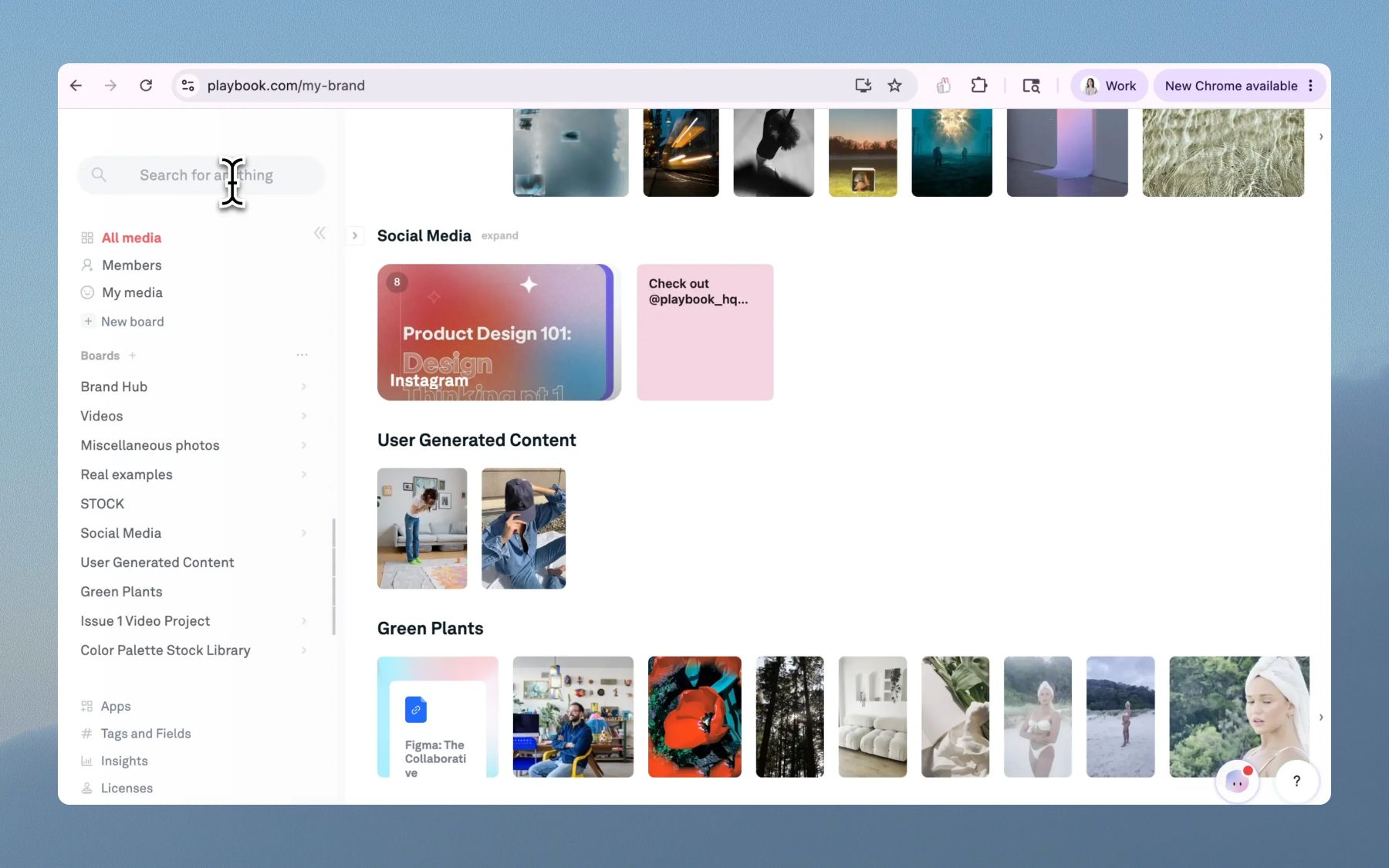
Main search only lived in the top header, which scrolled away as soon as the user scrolled down. A small search input in the left sidebar would be revealed in its place, but that placement felt awkward and unintentional, and it saw very few clicks. When the user did click on it, it opened a search modal, which felt disconnected from the rest of the app.
- For users with larger libraries, search wasn't intuitive. The default behavior wasn't to click the small sidebar search, but to scroll all the way back up to the top.
- We needed a search entry point that stayed accessible even when a user had many boards and assets and was scrolled all the way down.
Versions considered
Option 1: Fully sticky, narrowed header on scroll. I ultimately ruled this out because the changing header height still felt jumpy, and it ate into an already tight amount of usable screen space.
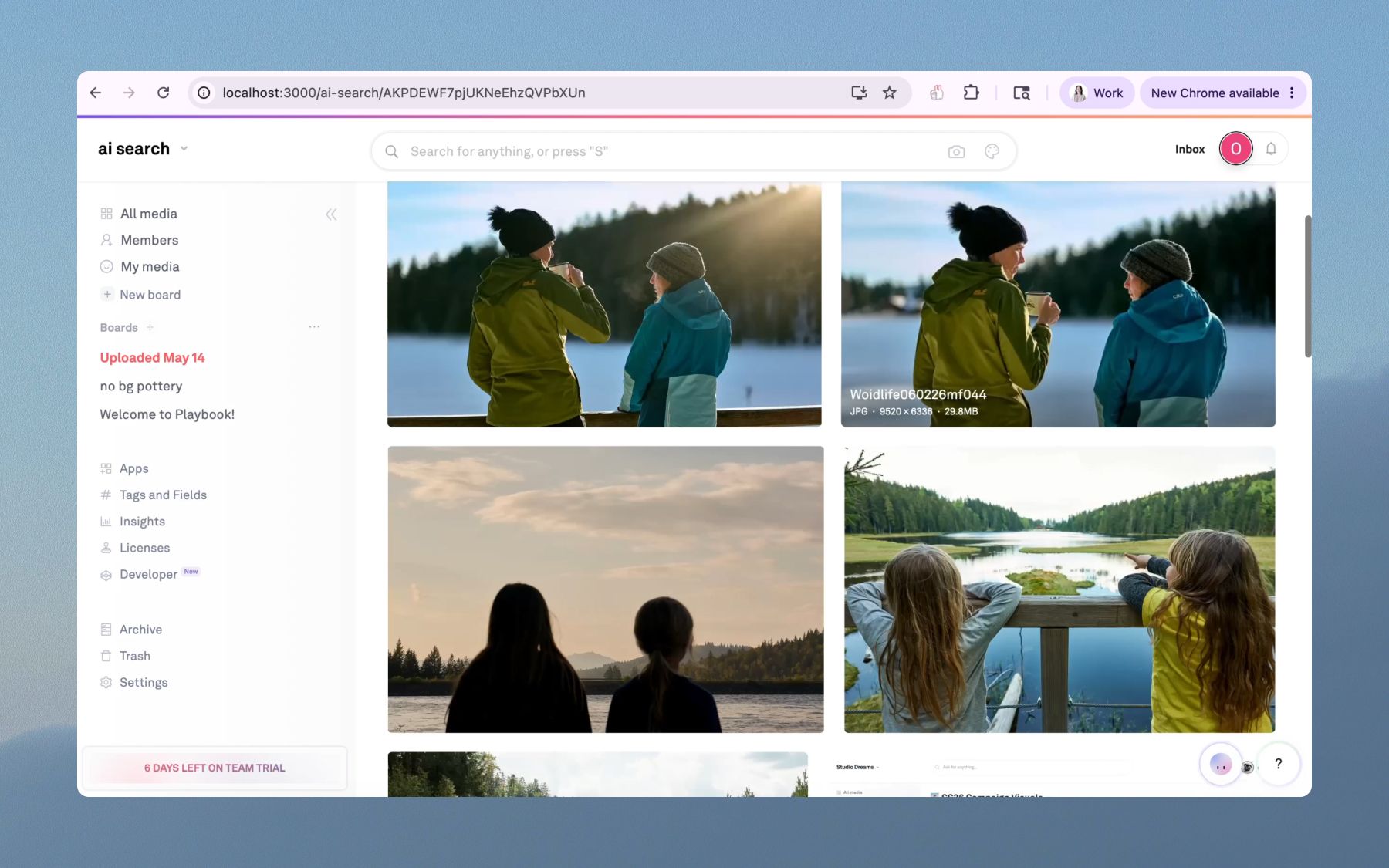
- Most users work on laptops, commonly 13-inch screens. A fully sticky header would eat into an already limited amount of usable space, while a narrower header was inconsistent with the spacing of the rest of the app.
- Dismissing the left and right panels could claw some of that space back, but requiring that just to see your assets comfortably would be a bad default experience
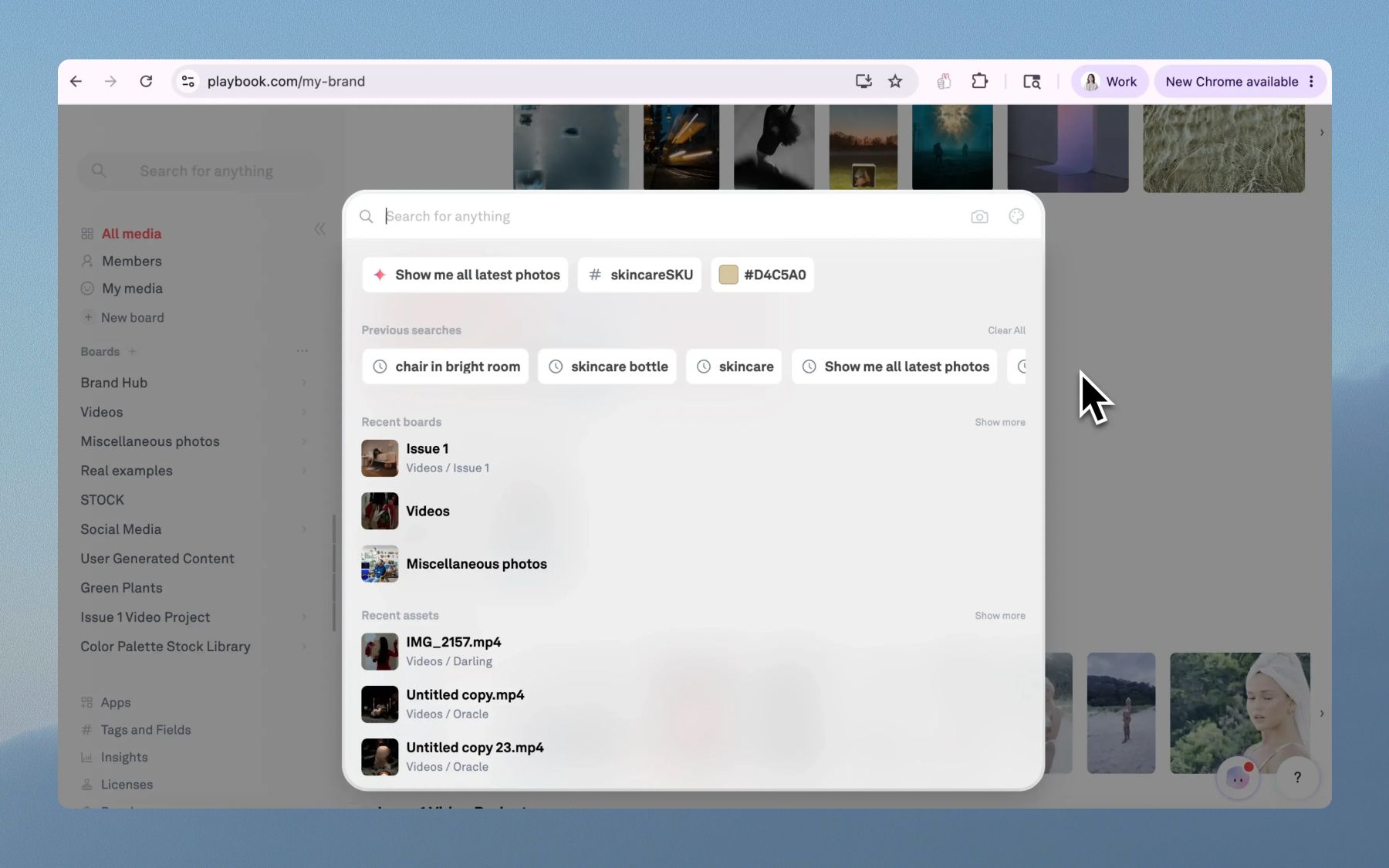
Option 2: Sticky floating search only, sidebar shifts up on scroll. I went with this direction because it surfaced search when users needed it, without reducing the overall space for assets and sidebar actions. I then iterated further based on feedback about the sidebar shift and the auto-collapse logic.
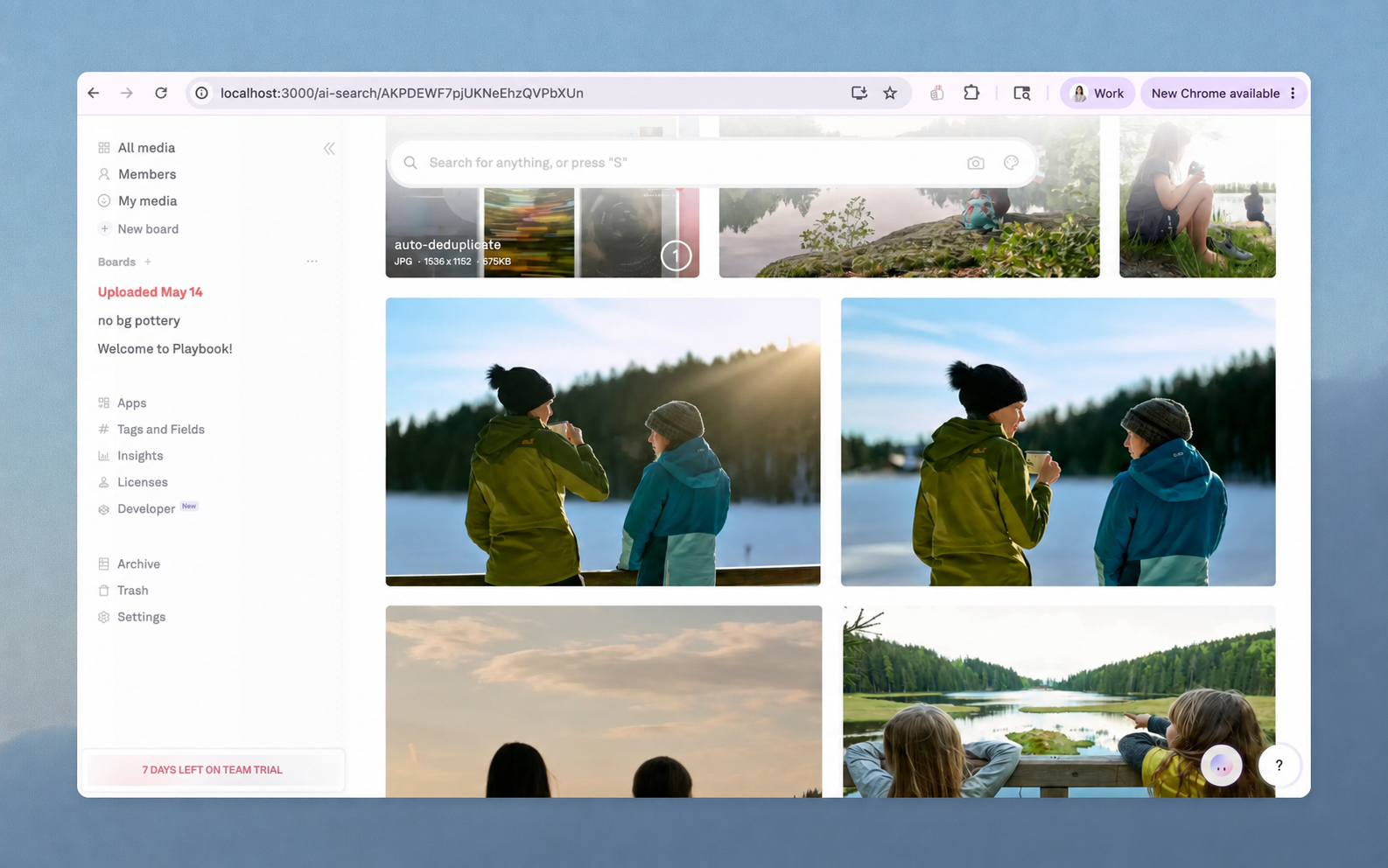
- Ultimately, having the whole sidebar shift upward once the header scrolled away felt disruptive because clicking an item in the sidebar would cause everything to instantly shift back down.
- That pushed me to find a better solution for the sidebar itself, rather than relying on a shifting layout, and to refine the auto-collapse logic on the floating search bar
What I shipped
Floating search bar on scroll: When the user scrolls down far enough to push the main header off screen, a compact search bar slides in from the top and stays fixed. It only appears while the user is actively scrolling up (the intent signal), then auto-hides after 2 seconds of inactivity. Interacting with it pauses the auto-hide timer so the dropdown stays usable.
Sidebar search removed: The small search button that previously lived at the top of the left sidebar, and became visible only as the header scrolled away, was removed entirely. The floating bar replaces that affordance with a more prominent, centrally-aligned search that matches the header's layout.
Org picker moved from header to sidebar: To reduce jumpiness, I moved the org switcher into the sticky sidebar so that on scroll, only the main collection scrolls away, leaving the full sidebar in place on the left. Previously, the entire top header—including the org picker—would scroll away, leaving empty space at the top of the left sidebar.
Dark mode
Full-product theming across hundreds of components
Background
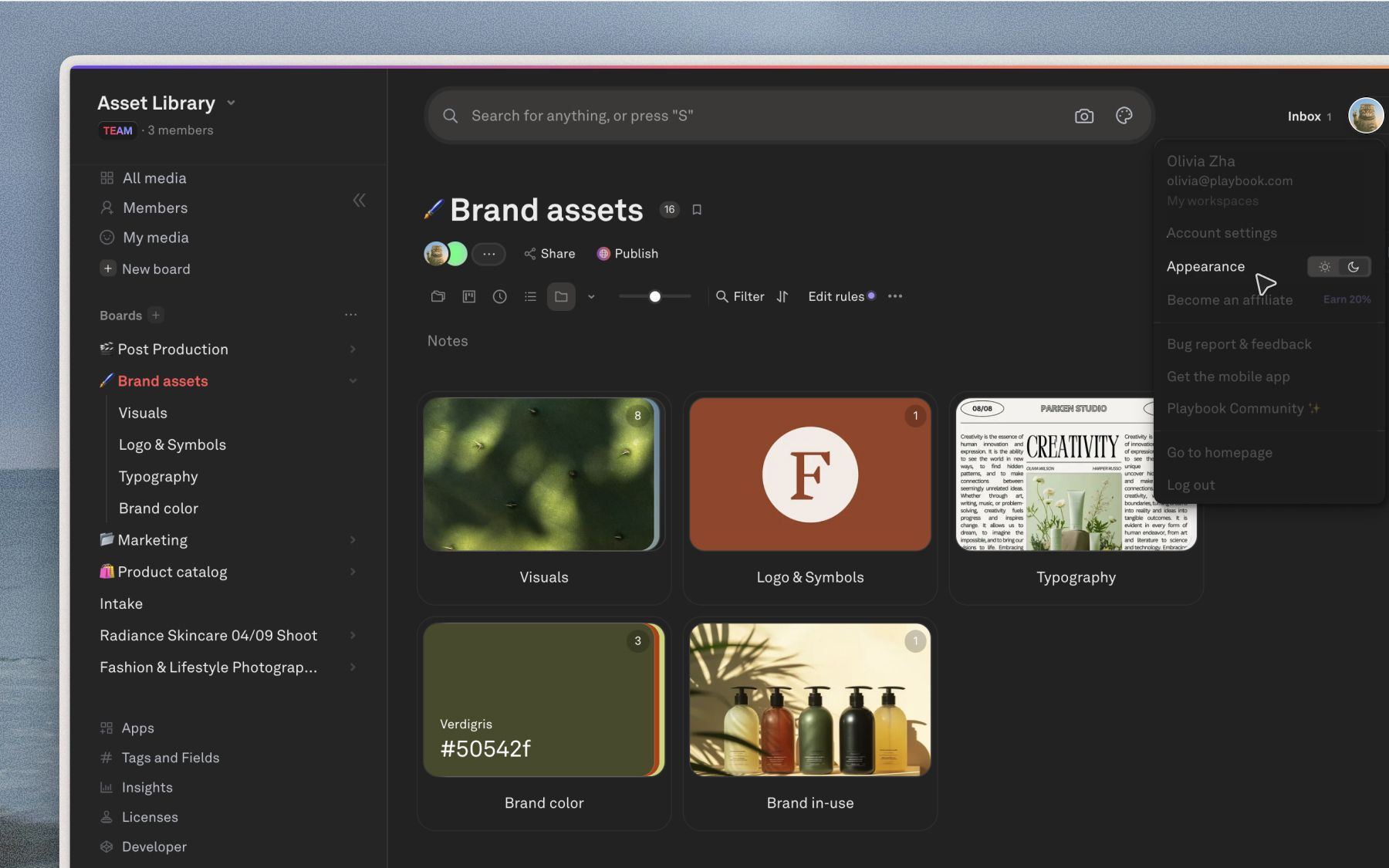
Since as early as 2023, Playbook's most requested customization had been workspace-wide dark mode, yet it was never prioritized over functionality-driven projects. The team discussed it a few times over the years, but the friction to begin was high and none of the engineers felt particularly inclined to take it on. We would tell users it was “on our roadmap” and “coming soon.”
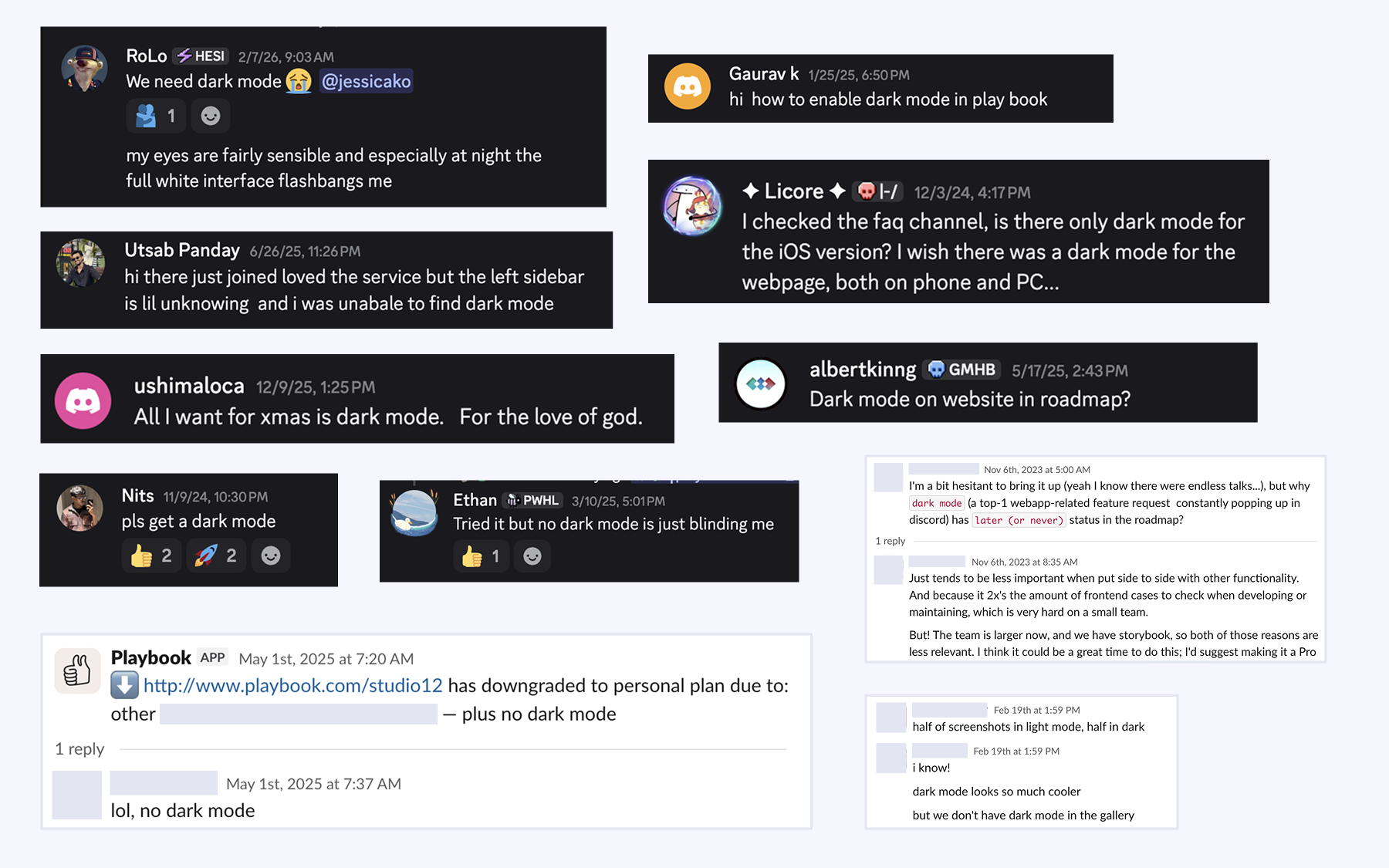
In February 2026, Playbook began making a more concerted effort to reach teams in media and entertainment such as film studios, production agencies, and global media brands. In demos, we noticed a mismatch between our core light, colorful product and the dark themes more commonly preferred by the companies we were speaking to.
This was the tipping point for me. With the power of AI, dark mode implementation felt more like a consolidation and design consistency problem. I decided we had made enough excuses and took on the project ahead of an upcoming product release in March.
What I shipped
Over the course of two weeks, I implemented dark mode across the entire Playbook frontend, refactoring and consolidating styles across hundreds of components and systematically updating the design system to ensure visual consistency throughout the application.
We first rolled it out to beta users before launching for all users, gaining 2,000 dark mode adopters within the first month.
Asset modal toolbar
Consolidating editing controls into one place
Background
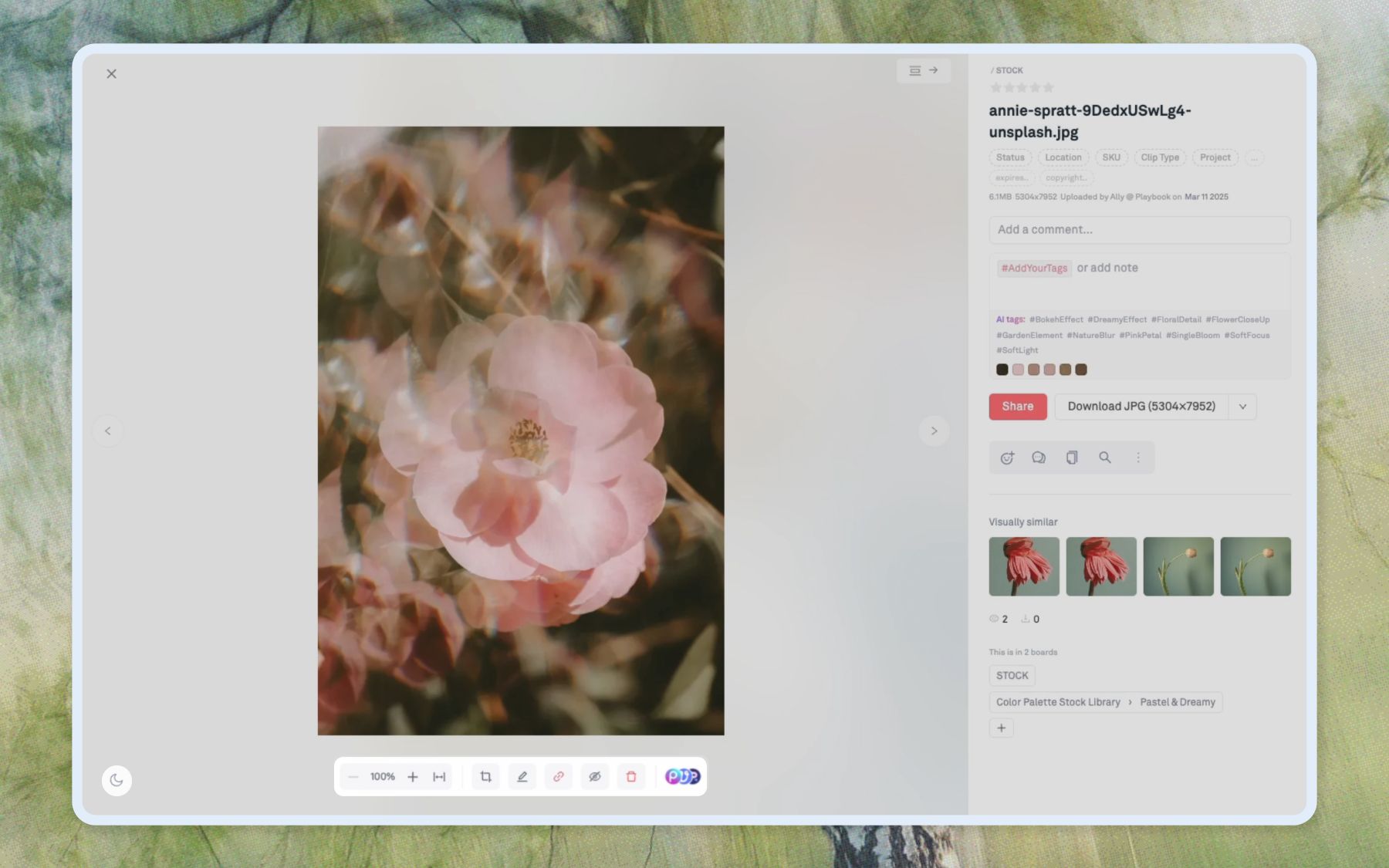
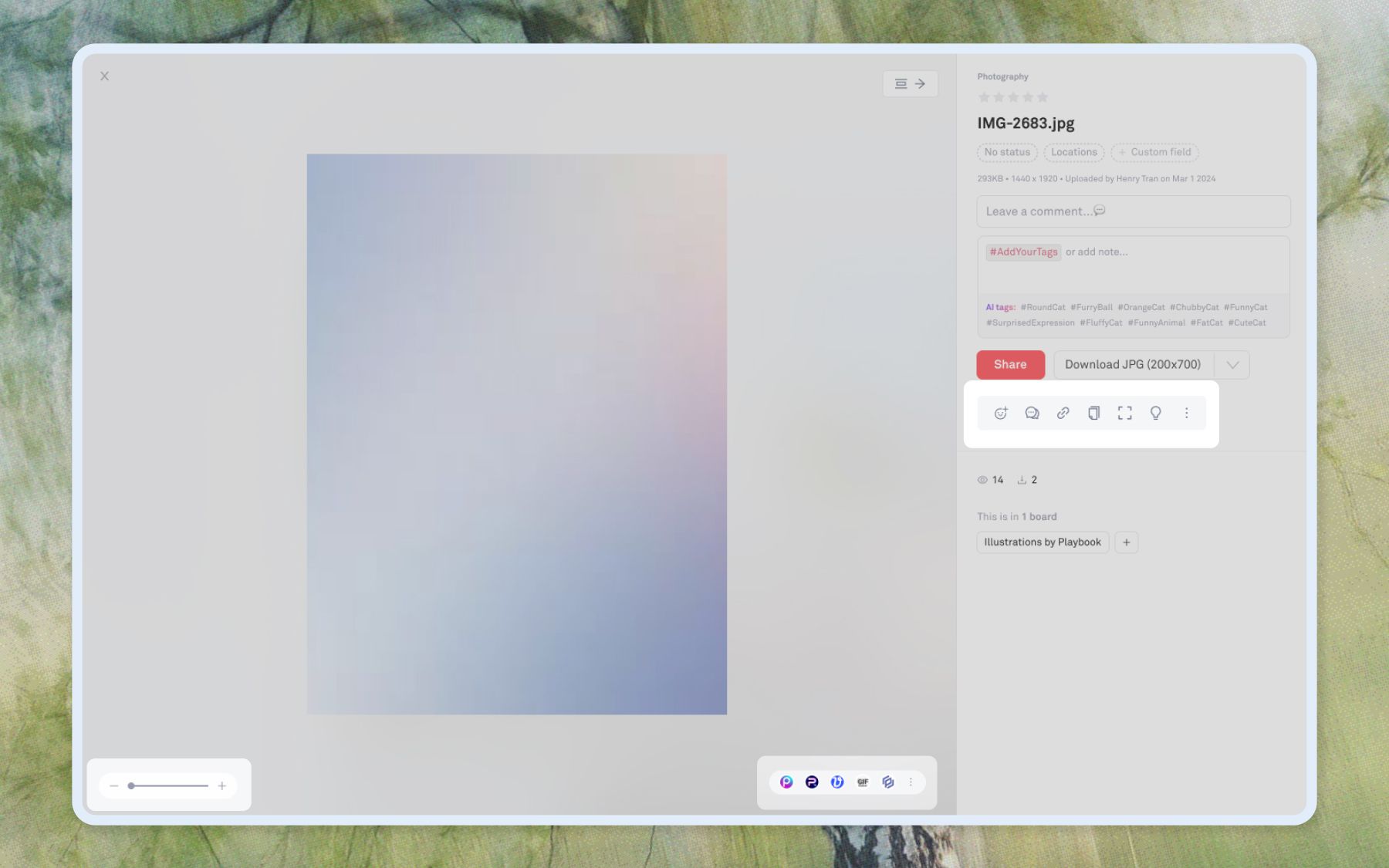
As Playbook added more editing capabilities and embedded apps, the asset editing interface became fragmented across multiple UI locations. Users had to hunt for actions spread across the modal sidebar and multiple corners of the screen. In parallel, we had been releasing more and more partner mini-apps, and the entry points were cluttered and distracting.
Before
What I shipped
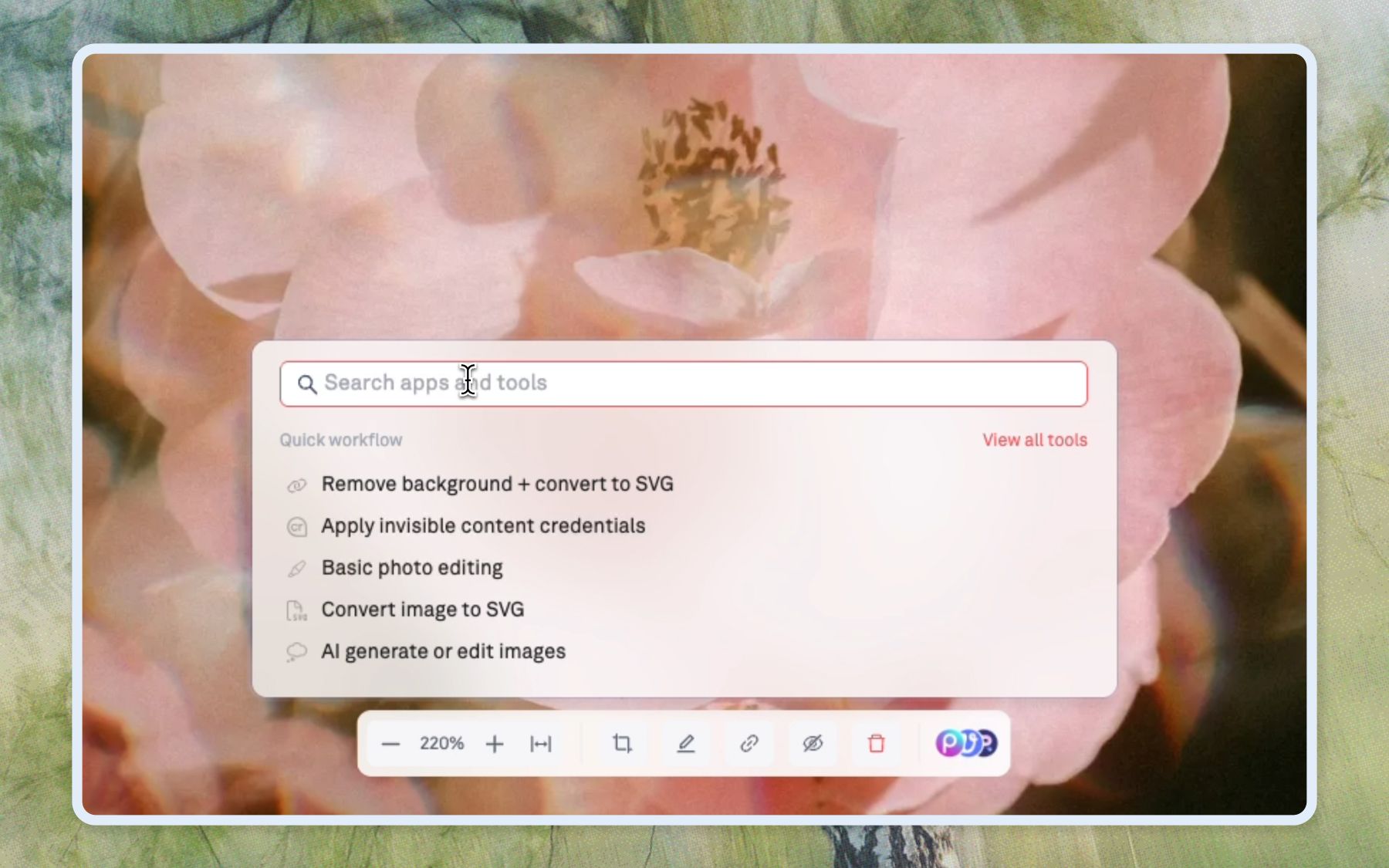
This redesign consolidated editing controls into a single central toolbar within the asset preview modal. The new system prioritizes workflow-based actions over individual partner logos and integrates directly with the Miniapp Shop to enable quick asset edits.
- Combined and centered zoom + miniapps toolbars
- Separated light / dark view as a toggle in the lower left corner
- Moved hide asset, permalink, crop, and delete actions into the centered asset toolbar—common actions that apply directly to an asset and were previously buried
- Maintained right sidebar for: reacts, comments, copy, move, search, and less common tools